

Table of Contents:
- Quick Reference: Reset Method by Model Year
- What Does Your Honda CR-V Maintenance Light Mean?
- Step-by-Step Reset Instructions by Model Year
- Troubleshooting: When the Reset Doesn’t Work
- Other Important Honda CR-V Indicator Lights
- Maintaining Your Honda CR-V for Maximum Longevity
- Why Choose Barker Honda for Your CR-V Maintenance
- Frequently Asked Questions
Quick Reference: Reset Method by Model Year
|
Model Years |
Reset Method |
Location |
|
2002-2007 |
SELECT/RESET Knob |
Dashboard instrument cluster |
|
2008-2011 |
SELECT/RESET Knob |
Dashboard instrument cluster |
|
2012-2016 |
Button or Steering Wheel |
Dashboard or steering controls |
|
2017-2019 |
Infotainment System |
Touchscreen settings menu |
|
2020-2025 |
Infotainment System |
Touchscreen settings menu |
What Does Your Honda CR-V Maintenance Light Mean?
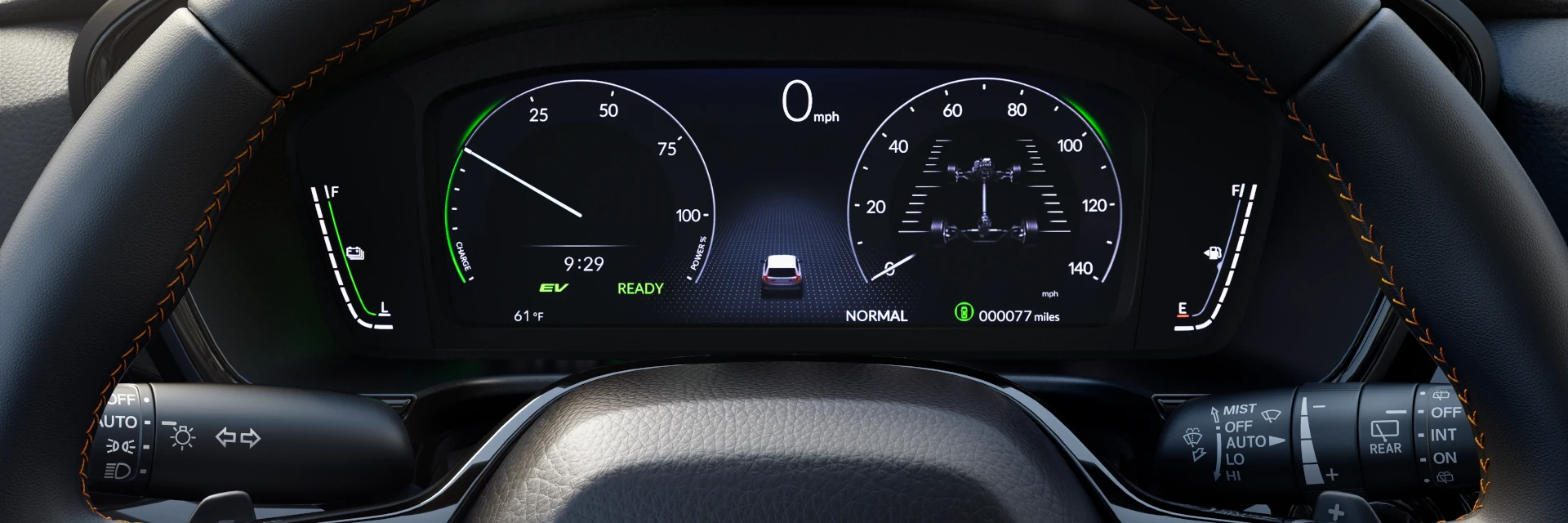
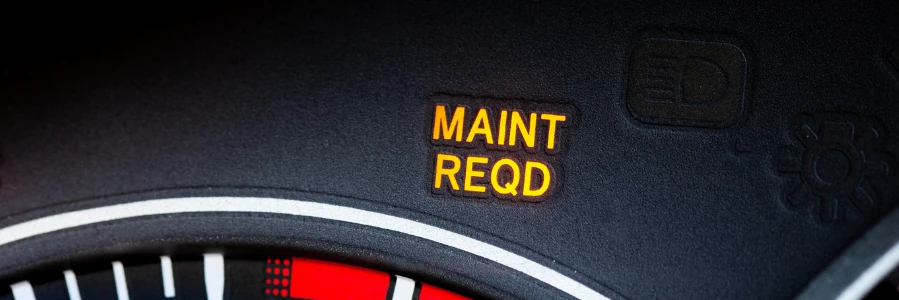
The maintenance light (also called the Maintenance Minder) is part of Honda’s intelligent monitoring system that tracks your vehicle’s service needs based on actual driving conditions—not just mileage. When you see this orange wrench icon with a code like “A1” or “B12,” your CR-V is telling you it’s time for specific services.
Why Resetting the Maintenance Light on Your Honda is Important
Resetting the maintenance light ensures accurate tracking of your vehicle’s service intervals. This prevents missed maintenance tasks that can lead to costly repairs or decreased performance. Keeping track of maintenance schedules helps maintain the reliability and longevity of your Honda CR-V, ensuring it runs smoothly.
Step-by-Step Reset Instructions by Model Year
2002-2007 Honda CR-V Models
These second and early third-generation CR-Vs use a simple button method:
- Turn ignition to “ON” (do not start the engine—one position before starting)
- Press the SELECT/RESET knob repeatedly until “ENGINE OIL LIFE” appears on the display
- Press and hold the SELECT/RESET knob for approximately 10 seconds until the display begins to blink
- Release and press again while the display is blinking
- Hold for 5 more seconds until the oil life resets to 100%
- Turn off ignition and start your vehicle to verify the reset
Location: The SELECT/RESET knob is typically located on the instrument panel, often near the speedometer or as part of the dashboard controls.
2008-2011 Honda CR-V Models
Third-generation CR-Vs use a similar method with slight variations:
- Turn ignition to “ON” position (do not start the engine)
- Press the SELECT/RESET knob repeatedly until “ENGINE OIL LIFE” displays
- Press and hold the SELECT/RESET knob for about 10 seconds—the display will show “OIL LIFE,” “CANCEL,” and temperature
- Rotate the knob clockwise until “OIL LIFE” begins to blink
- Press the knob to select OIL LIFE (it will blink faster)
- Press and hold the knob for 5 seconds until it resets to 100%
- Start your engine to confirm the reset
Note: The SELECT/RESET knob on these models often doubles as the instrument panel brightness control.
2012-2016 Honda CR-V Models
Fourth-generation CR-Vs introduced more technology options:
Method 1: Dashboard Button
- Turn ignition to “ON” without starting the engine
- Press the TRIP/RESET button repeatedly until “OIL LIFE” appears in the display
- Press and hold the button for 10 seconds until the display blinks
- Release and press again to confirm reset
- Verify the oil life shows 100%
Method 2: Steering Wheel Controls (Select Models)
- Turn ignition to “ON”
- Use steering wheel buttons to navigate through the menu
- Locate “Oil Life” or “Maintenance Minder” display
- Press and hold the ENTER button for 10 seconds
- Select “Yes” to confirm reset
- Verify reset to 100%
2017-2019 Honda CR-V Models
Fifth-generation CR-Vs feature full infotainment integration:
- Press the START button twice (without pressing brake pedal) to power on accessories
- Press the HOME button on the infotainment screen
- Navigate to “Settings” using the touchscreen or steering wheel controls
- Select “Vehicle” from the settings menu
- Choose “Maintenance Info”
- Find the spanner/wrench icon and press the selector wheel to enter
- Press and hold the selector wheel for about 10 seconds to enter reset mode
- Select “All Due Items” or choose individual service items
- Confirm the reset by pressing the selector wheel
- Verify oil life returns to 100%
Alternative for some 2017-2019 models:
- Go to: Home > Settings > Vehicle > Maintenance Info > Select Reset Items
- Choose the items to reset or select “All Due Items”
- Confirm to reset to 100%
2020-2025 Honda CR-V Models
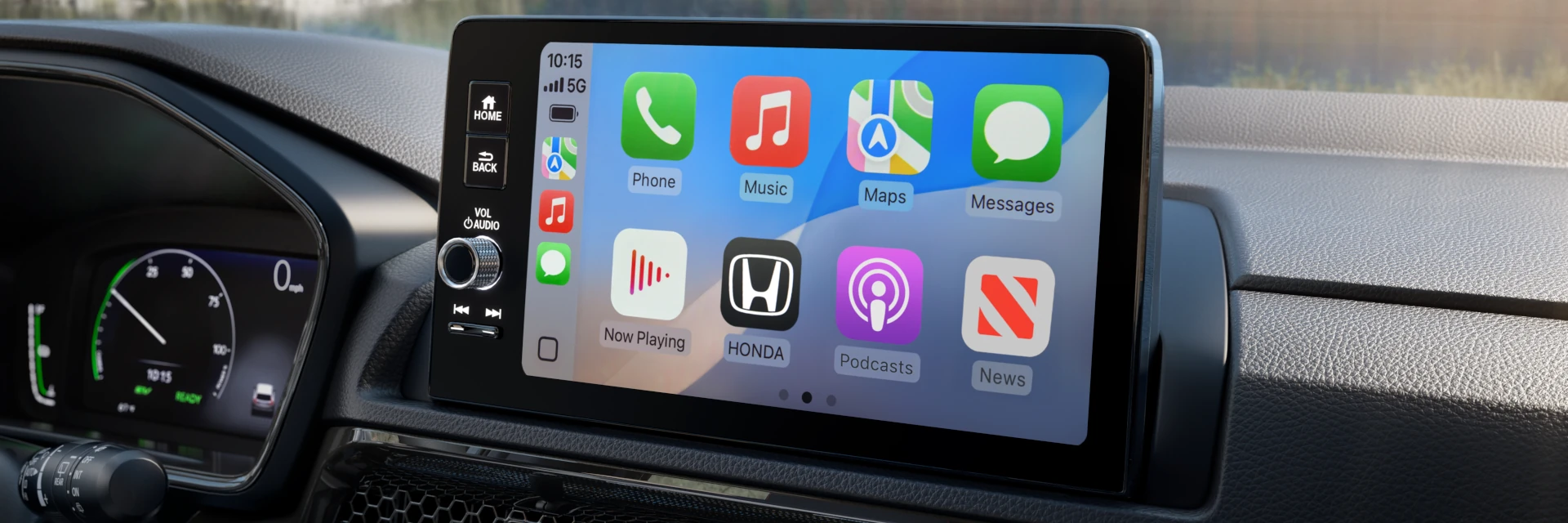
Current sixth-generation CR-Vs use an enhanced interface:
- Start your vehicle or press the START button twice without brake
- Access the infotainment screen touchscreen display
- Tap the Settings icon (gear or wrench symbol)
- Select “Vehicle” from the menu
- Choose “Maintenance” or “Maintenance Info”
- Select “Maintenance Reset” or “Reset Items”
- Choose “All Due Items” to reset everything, or select specific items
- Confirm the reset when prompted
- Verify the oil life displays 100%
2023-2025 Models with Advanced Display:
- Some newer models may use: Home > Maintenance > Oil Life
- Press and hold ENTER on the steering wheel for 10 seconds
- Scroll to desired reset option and confirm
Troubleshooting: When the Reset Doesn’t Work
Light Won’t Reset or Keeps Coming Back
Problem: You’ve followed the steps, but the maintenance light remains on or reappears immediately.
Solutions:
- Verify you completed the full reset sequence — some models require holding buttons for the full duration (10+ seconds)
- Check if multiple service codes are present — you may need to reset each item individually
- Ensure the vehicle is in the correct position — key should be in “ON/II” position, not “ACC” or “START”
- Try the reset procedure 2-3 times — some vehicles require multiple attempts
- Battery disconnect method — As a last resort, disconnect the negative battery terminal for 5 minutes (this clears all computer codes, so use sparingly)
Display Shows Different Codes After Reset
Problem: After resetting for an A1 service, you now see A3 or another code.
Explanation: This is normal. Honda’s Maintenance Minder schedules multiple services. If multiple items were due, resetting one may reveal the next service item in the queue.
Can’t Find the Oil Life Display
Problem: When pressing buttons, the oil life percentage doesn’t appear.
Solutions:
- Cycle through all display options — press the button repeatedly (10+ times) to see all screens
- Check your owner’s manual — display location varies by trim level (LX, EX, EX-L, Touring)
- Some base models may not have the feature — very basic trim packages might require dealer tools
Reset Works but Light Returns Within Days
Problem: You successfully reset the light, but it reappears after a few days of driving.
Likely Causes:
- Service wasn’t actually performed — the system tracks actual driving conditions; if oil quality hasn’t improved, the light returns
- Wrong oil type used — using conventional oil when synthetic is required can trigger early warnings
- Sensor malfunction — rare, but oil life sensors can fail
- Visit a certified technician — This may require diagnostic equipment
Other Important Honda CR-V Indicator Lights
Tire Pressure Monitoring System (TPMS) Light
When it appears: Tire pressure is low or sensor needs reset
How to reset:
- Inflate all tires to the recommended PSI (found on driver’s door jamb)
- Turn ignition to “ON”
- Locate the TPMS button (usually below steering wheel or in glove box)
- Press and hold until the TPMS light blinks twice
- Drive for 10-15 minutes at speeds above 30 mph to allow system recalibration
Check Engine Light vs. Maintenance Light
Important distinction:
- Maintenance Light (Orange Wrench) = Scheduled service reminder; safe to drive
- Check Engine Light (Yellow Engine Icon) = Emissions or engine problem detected; requires diagnosis
- Oil Pressure Warning (Red Oil Can) = IMMEDIATE DANGER; stop driving and check oil level
Never confuse these lights. The maintenance reminder is a normal service alert. A check engine light requires diagnostic scanning.
Maintaining Your Honda CR-V for Maximum Longevity
Regular maintenance keeps your CR-V running reliably for 200,000+ miles. Beyond resetting lights, focus on:
Essential Maintenance Schedule
Every Oil Change (A codes):
- Replace engine oil (conventional or synthetic as specified)
- Inspect fluid levels
- Check tire pressure
- Inspect lights and wipers
Every Other Oil Change (B codes):
- All “A” services plus:
- Replace oil filter
- Inspect brake pads, rotors, and fluid
- Check suspension components
- Inspect driveshaft boots
- Rotate tires (if due)
Additional Services by Mileage:
- 15,000-30,000 miles: Replace air filters (Code 2)
- 30,000-45,000 miles: Transmission fluid service (Code 3)
- 90,000-100,000 miles: Spark plugs, timing belt if equipped (Code 4)
- Every 3 years: Brake fluid replacement (Code 7)
- Every 5 years: Engine coolant replacement (Code 5)
DIY vs. Professional Service
You can do yourself:
- Oil changes (if experienced)
- Air filter replacements
- Tire rotations
- Fluid level checks
- Wiper blade replacement
Best left to professionals:
- Transmission fluid service
- Brake system work
- Timing belt replacement
- Coolant system flush
- Diagnostic trouble codes
Why Choose Barker Honda for Your CR-V Maintenance

When it’s time for service, Barker Honda offers:
✓ Honda-Certified Technicians — Factory-trained specialists who know your CR-V inside and out
✓ Genuine Honda Parts — OEM quality that maintains your warranty
✓ Advanced Diagnostic Equipment — Accurate diagnosis and efficient repairs
✓ Automatic Maintenance Minder Resets — We handle it as part of every service
✓ Convenient Location — Serving Houma, Thibodaux, Morgan City, and surrounding Louisiana communities
✓ Competitive Service Pricing — Check our current service specials online
✓ Complimentary Multi-Point Inspections — We check items beyond the basic service
✓ Comfortable Waiting Area — Free WiFi, refreshments, and amenities
Related Services at Barker Honda
Looking for more than maintenance light resets? We offer:
- Oil Change Service – Conventional, synthetic blend, and full synthetic options
- Tire Services – Rotation, balancing, alignment, and replacement
- Brake Service – Inspection, pad replacement, and rotor resurfacing
- Multi-Point Inspections – Evaluate the condition of your vehicle and its major components
- Honda Parts & Accessories – Order online or visit our parts department
Don’t let maintenance reminders stress you out. Whether you need a simple oil change or comprehensive service, Barker Honda makes it easy.
Final Thoughts
Now that you know exactly how to reset the maintenance light on your Honda CR-V for any model year from 2002 to 2025, you’re equipped to keep your vehicle running smoothly. Remember these key points:
- Always perform the actual maintenance before resetting the light
- Use the correct procedure for your model year — methods vary significantly
- Understand what the codes mean — different letters and numbers indicate different services
- Keep service records — documentation protects your warranty and resale value
- Don’t ignore persistent lights — if resets don’t work, professional diagnosis may be needed
Regular maintenance isn’t just about avoiding the warning light—it’s about protecting your investment and ensuring your CR-V provides reliable transportation for years to come.
Schedule Your Service Appointment Today
Need help with maintenance or have questions about your CR-V? Our expert service advisors at Barker Honda are here to help. Call us at 985-262-3888 or stop by our service center in Houma, LA.
Contact Us:
- Address: 1662 Martin Luther King Blvd., Houma, LA 70360
- Phone: 985-262-3888
- Hours: View Current Hours
- Online Scheduling: Book Your Appointment
Serving: Houma, Thibodaux, Morgan City, Gray, Schriever, Chauvin, Bayou Blue, Montegut, and surrounding Terrebonne Parish communities
Related Articles:
Frequently Asked Questions
Can I reset the light without doing the service?
Yes, you can, but you shouldn’t. The maintenance light can be reset at any time using the steps above. However, skipping required maintenance may:
- Void warranty coverage for maintenance-related failures
- Cause accelerated engine wear
- Lead to expensive repairs
- Reduce resale value
- Make future service tracking inaccurate
Always perform the indicated maintenance before resetting.
How often will my CR-V need service?
It varies based on driving conditions. Honda’s Maintenance Minder adapts to your specific driving:
- Normal driving: Oil changes every 7,500-10,000 miles
- Severe driving: Oil changes every 3,000-5,000 miles
“Severe” driving includes:
- Frequent short trips (under 5 miles)
- Stop-and-go traffic
- Towing or carrying heavy loads
- Extreme temperatures
- Dusty or muddy conditions
- Mountain driving
Will resetting the light void my warranty?
No, resetting the maintenance light does not void your warranty. However, you must:
- Actually perform the required maintenance
- Keep records of service (receipts, invoices)
- Use proper Honda-approved fluids and parts
Skipping maintenance may void warranty coverage for specific components.
What if I’m at 0% oil life but just changed my oil 1,000 miles ago?
This suggests the previous service wasn’t reset properly. If you know your oil is fresh:
- Verify the oil level and condition
- Reset the maintenance light using the appropriate method
- Monitor oil life percentage over next few weeks
- If it drops abnormally fast, there may be a sensor issue
Do I need to take my CR-V to the dealer for resets?
No. While dealers reset the maintenance light automatically after service, you can reset it yourself using the methods above. This is useful if:
- You perform your own maintenance
- An independent mechanic forgot to reset it
- You want to verify the reset was done correctly
Connect with us


